





Projection-guided workstation operation
Co-idea

Industrial assembly: guide every operation directly at the workstation

CARDS projects work instructions, positioning markers, and work-instruction steps onto the part, tooling, or work surface. With interactive projection, operators follow the sequence without interrupting assembly to consult a separate aid.

Trusted by

Airbus
Bpifrance
Omexom
Inria
Futuroscope
Coven

Work instructions projected at the operator workstation

A work instruction describes the operation, but it does not make it visible directly at the workstation

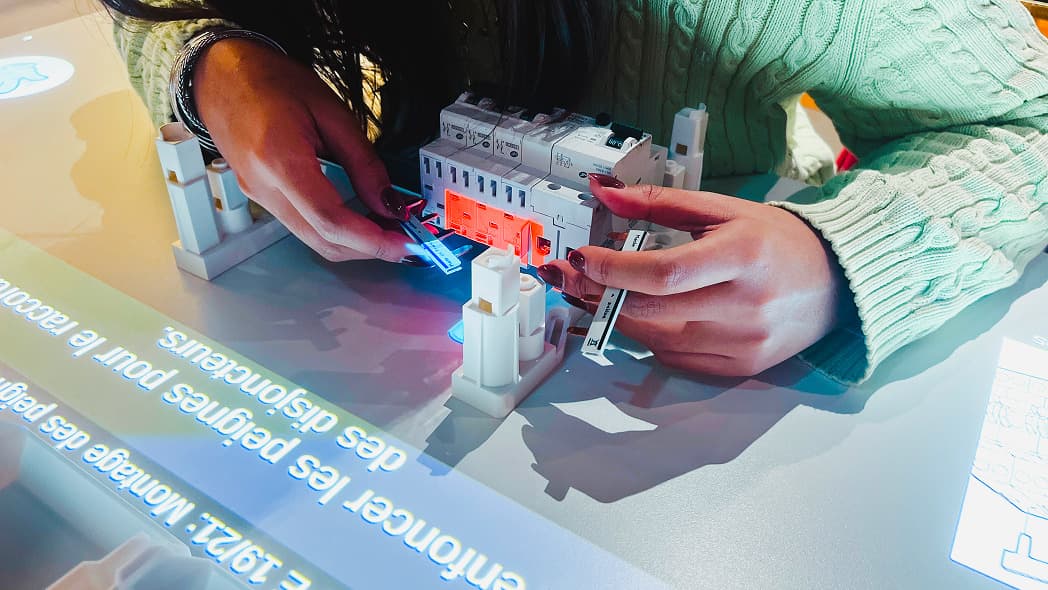
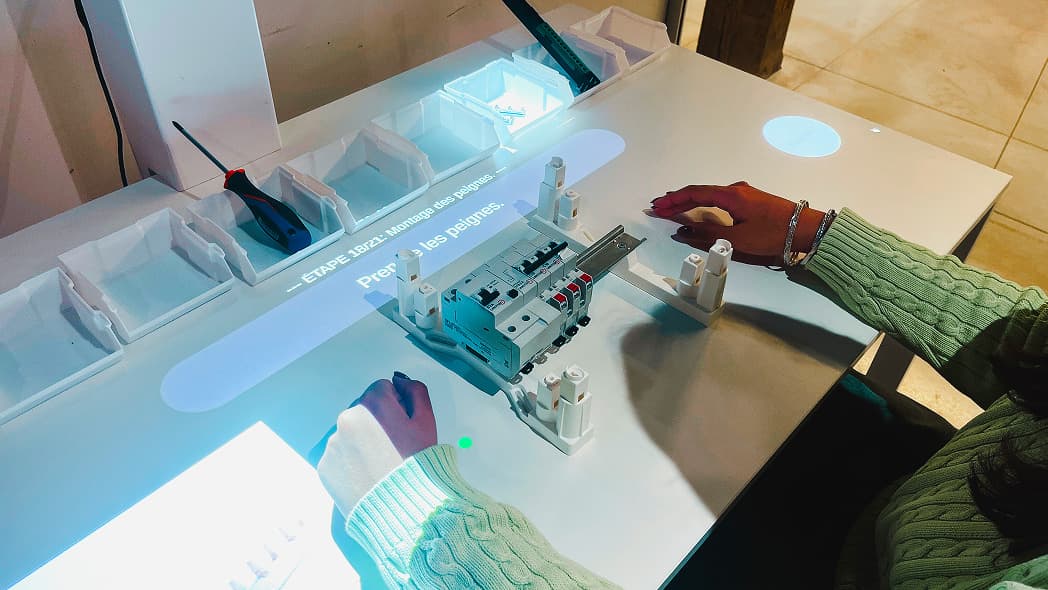
Drawing, bill of materials, manufacturing file, assembly work instruction: these documents define what must be assembled, in what order, and according to which instructions. At the workstation, operators must still translate this information into the real space: identify the part, locate the relevant area, check its orientation, and perform the expected operation. The more steps, references, or similar configurations an assembly includes, the more demanding this translation becomes. CARDS carries information to the point of action. Interactive projection materializes the marker, area, position, or useful step directly on the part or workstation.

Interactive exercise projected onto a table

Industrial assembly and work instructions

Keep your eyes on the assembly, not on a separate aid

A sheet, tablet, or screen remains useful for consulting a complete file. During assembly, however, switching between that aid and the part forces operators to read, memorize, reposition themselves, and then resume the action. CARDS displays only the information needed for the current step, exactly where it must be used. A marker can indicate a part, fastening area, orientation, location, or the order of the next operation. The instruction remains connected to the real work. Operators keep their hands free and their eyes on the assembly.
Multi-product assembly and variant management

Switch from one reference to another without reinterpreting the work instruction

Small batches, options, similar references, or rarely produced configurations: a limited product variation can change a part, a location, or the order of operations. With CARDS, each reference or variant can be associated with a dedicated sequence. Depending on the selected configuration, it can be called by selection, barcode, QR code, or work order. Only the instructions useful for the current assembly are then projected. Product variety remains managed in the work instruction; at the workstation, the operator performs the sequence matching the product in front of them.

Industrial CARDS applications

One shared technology, distinct industrial use cases

Interactive projection for assembly-operation guidance

CARDS: carry instructions to the point of action

Methods and industrial-engineering teams structure the work instruction and approve its content. CARDS Studio then delivers it as steps and markers that can be used directly at the operator workstation.

  • Structure the work instruction into guided assembly sequences.
  • Project visual markers onto the part, tooling, or work surface.
  • Indicate an area, part, position, orientation, or execution order.
  • Associate a sequence with a reference, variant, or work order depending on the selected configuration.
  • Require human confirmation or an associated event before moving to the next step when defined by the scenario.
  • Update and publish a new version when the work instruction changes.

CARDS is designed primarily for fixed or semi-fixed workstations, without a headset or wearable screen. At an existing workstation, scoping checks the projection surface, lighting, mounting, and field of view before production use.

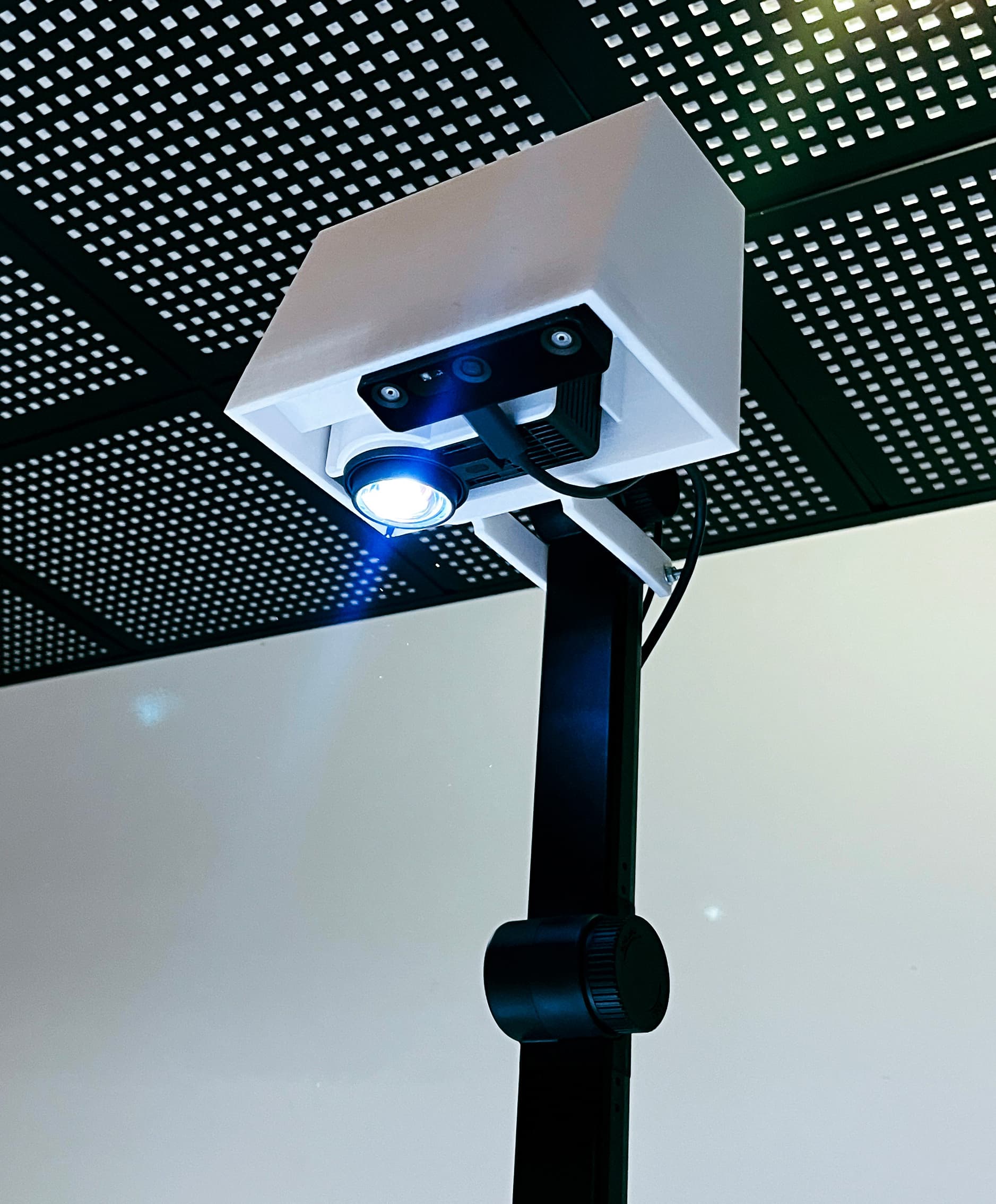
CARDS projector installed above the workstation

Industrial assembly use cases

CARDS becomes relevant when assembly requires unambiguous selection, positioning, or sequencing

A work instruction includes many steps whose order must remain clear at the workstation.

A change of reference or variant changes the parts, locations, or sequence.

A part, tool, fastening area, or orientation must be identified at the precise moment of the operation.

Wiring, connection, or subassembly follows a defined layout.

An infrequent operation or high-mix production makes memorizing every configuration unrealistic.

An existing workstation can receive the system without modifying the entire line when its configuration allows it.

Interactive projection and industrial assembly

FAQ

Test CARDS on a real assembly operation

Choose a work instruction where the operator must identify a part, area, orientation, or assembly order. We will show you how interactive projection can deliver that sequence directly at the operator workstation.

Industrial assembly | Co-idea